Should you block AI bots in robots.txt?
Block the training bots if you want to, but leave the search and user bots alone. Those are the ones that let ChatGPT, Claude and Perplexity find your pages and recommend you.
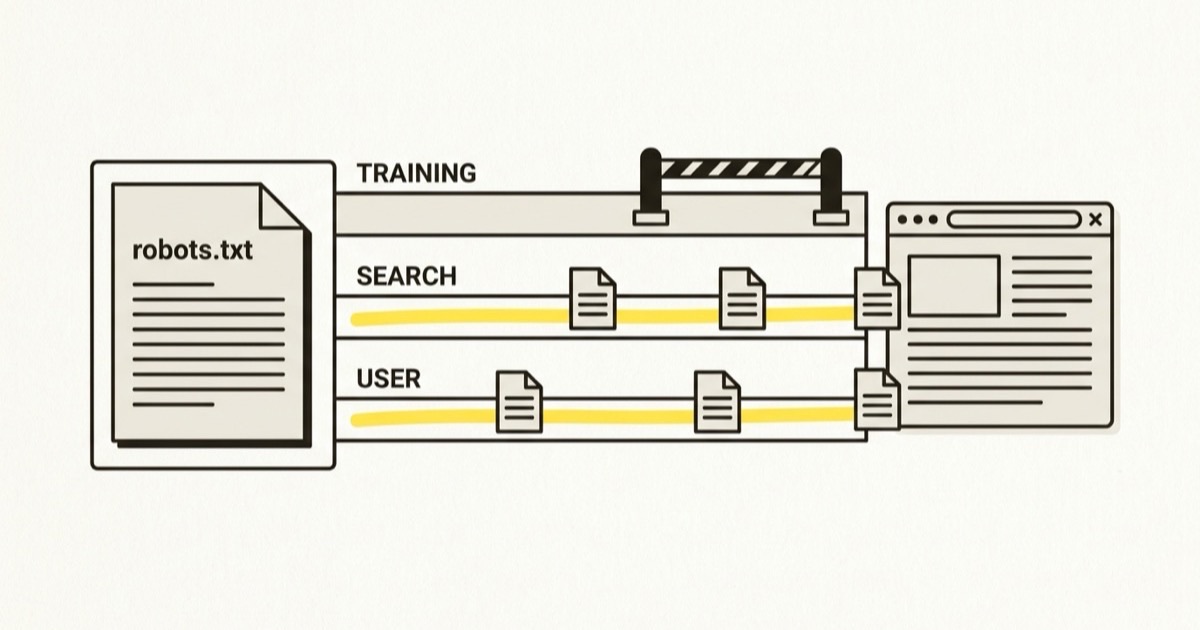
Only if you know which bots you are blocking. Each AI company runs separate bots for training and for search, and blocking the search bots takes you out of the answers that recommend businesses. If you want to keep your pages out of training data, block the training bots by name and leave the rest alone.
Which AI bots visit your site?
The main AI companies publish the names their crawlers use, and each bot does one of three jobs.
| Job | OpenAI | Anthropic | Perplexity |
|---|---|---|---|
| Collects pages to train models | GPTBot | ClaudeBot | none |
| Builds the index that search answers draw on | OAI-SearchBot | Claude-SearchBot | PerplexityBot |
| Fetches a page because a user asked it to | ChatGPT-User | Claude-User | Perplexity-User |
Perplexity says PerplexityBot "is not used to crawl content for AI foundation models", so it has no training bot to block.
Google works differently. Google-Extended is a token in robots.txt, not a separate crawler, and it controls whether pages Google has crawled can be used to train Gemini. Google's documentation says it "does not impact a site's inclusion in Google Search". AI Overviews and AI Mode are part of Google Search, so blocking Google-Extended leaves you in them. The only way out of those is to leave Google Search as well, which nobody selling anything should do.
What does blocking each kind of bot cost you?
Training bots. Blocking GPTBot or ClaudeBot keeps your future pages out of the data those companies train on. It does not remove you from ChatGPT's search answers: OpenAI tells site owners to use OAI-SearchBot, a different bot, to manage search opt-outs. This is the one block you can make without hurting how you are found.
Search bots. OpenAI's documentation says sites that opt out of OAI-SearchBot "will not be shown in ChatGPT search answers". Anthropic warns that blocking Claude-SearchBot "may reduce your site's visibility and accuracy in user search results". When a buyer asks an assistant to recommend an accountant, a dentist or a project management tool, the assistant searches the web and builds its answer partly from what these bots indexed. Block them and you are missing from that part.
User bots. These visit when a real person asks an assistant to look at your page, for example by pasting your link and asking "is this company any good?". Blocking them means the assistant cannot read the page the buyer is asking about. OpenAI and Perplexity both say their user-triggered fetchers may not follow robots.txt at all, since a person asked for the visit, so a block here mostly gets in the way of Claude.
Blocking every AI bot to protect your content also blocks the bots that would recommend you.
How do you check what your robots.txt says?
Open yoursite.com/robots.txt in a browser. It is a short text file, and three things are worth looking for.
First, a blanket block. User-agent: * followed by Disallow: / shuts out every crawler that obeys the file, Google included. It usually gets there when a site is built on a staging server that hides from search, then launched without anyone changing the file back.
Second, named AI bots with a Disallow line under them. Check each name against the table above and ask whether you meant to block that job.
Third, blocks that are not in the file at all. Some hosting companies and CDNs, Cloudflare among them, offer a setting that blocks AI crawlers at the network, before robots.txt is ever read. Find out whether it is switched on for your site and which bots it covers.
What should a sensible robots.txt say?
If you are happy for your pages to be used in training, you need no AI rules at all. If you would rather keep them out of training while staying findable, name the training bots and leave everything else open:
User-agent: GPTBot
Disallow: /

User-agent: ClaudeBot
Disallow: /

User-agent: Google-Extended
Disallow: /

User-agent: *
Allow: /
Crawlers follow the most specific group that names them, so OAI-SearchBot, Claude-SearchBot, PerplexityBot and Googlebot all fall under the last group and stay allowed. Keep any other rules you already have, such as blocks on admin pages or a Sitemap: line.
Do this today
- Read your robots.txt. Open
yoursite.com/robots.txtand note everyDisallowline and the bot it sits under. - Unblock the search and user bots. Remove any block on OAI-SearchBot, ChatGPT-User, Claude-SearchBot, Claude-User, PerplexityBot or Perplexity-User.
- Make the training decision separately. Block GPTBot, ClaudeBot and Google-Extended by name if you want to stay out of training data. It has nothing to do with being found.
- Check your host. Look for an AI crawler setting in your CDN or hosting dashboard and make sure it agrees with your robots.txt.
Once the engines can read your site, find out whether they recommend you.
More articles
All articles